
Most organisations do not have an automation problem. They have a process problem that automation makes visible.
The invoice that takes eleven days to clear does not take eleven days because nobody bought software. It takes eleven days because it crosses four systems, two departments and a spreadsheet, and because three of those handovers depend on somebody noticing an email. Business process automation addresses exactly that, and it fails whenever it is applied without addressing it.
This guide covers what business process automation is, how to decide which processes to automate first, what automated processes look like in finance, HR, insurance, utilities and manufacturing, which tools fit which job, and the seven steps that take a process from analysis to production. It also covers where these projects go wrong, because they go wrong in predictable ways.
What is business process automation?
Business process automation, usually shortened to BPA, is the use of software to run a repeatable business process with little or no manual intervention. Instead of a person moving work between systems, applying rules and chasing approvals, the process runs itself. It reads data from the systems that hold it, applies the logic the business defined, sends exceptions to the right people, and records every step it took.
The word “process” carries weight in that definition. Business process automation is not the automation of a single task. It automates a sequence of steps that crosses systems, departments and sometimes company boundaries, with a defined start, a defined outcome, and rules governing everything between them.
Two things come before automation. First, analysis: establishing how the process runs today, through process mining on system event logs, through interviews, or through both. Second, assessment: deciding whether this particular process should be automated at all, and what the return would be. Skipping either step is the most reliable way to automate something that should have been removed.
Business process automation, workflow automation, BPM and RPA
These four terms are frequently used as synonyms. They are not synonyms, and the difference determines which category of software you should be evaluating.
| Term | Scope | Typical use |
|---|---|---|
| Workflow automation | One sequence of tasks, usually inside a single team or system | Routing a leave request through two approvals; moving a document from draft to signature |
| Business process automation (BPA) | An end-to-end process across several systems and departments | Order to cash; a new grid connection from application to activation; a claim from intake to settlement |
| Business process management (BPM) | The discipline around the process: design, governance, measurement, continuous improvement | Owning the process portfolio, defining responsibilities, running the improvement cycle |
| Robotic process automation (RPA) | A single repetitive interaction, automated at the user interface layer | Copying data between two systems that offer no interface |
A short way to hold these together: business process management is the management discipline, business process automation is how processes are executed under it, workflow automation is the same thing at a smaller scale, and robotic process automation is a tactic for systems that provide no proper interface.
That last point deserves emphasis. Robotic process automation is a bridge, not a foundation. It automates the symptom of a missing integration instead of removing the cause. Organisations that build their automation estate on interface-level robots usually discover the maintenance burden within eighteen months, when a screen layout changes and forty automations stop at once.
If your question is really about the management discipline rather than execution, our guide to business process management software covers that side in detail.
Which business processes should you automate first?
Every organisation runs a large number of business processes, and in principle each one can be mapped and analysed. They divide into three broad categories.
Administrative and support processes are the easiest starting point. They exist in nearly every company and they run in nearly the same way everywhere: accounting, IT administration, human resources. Because they are standardised, ready-made solutions exist and can be integrated with limited configuration. Payback is fast and risk is low.
Core processes are tied directly to what the business sells and delivers. They are often unique to the organisation, designed or adapted specifically for it, and standard products rarely fit. This is where individual process modelling earns its cost, and where the value is highest, because these processes determine what customers experience.
Management processes such as planning, steering and reporting are usually automated last and often only in part, because they involve judgement that should not be delegated to a rules engine.
Five criteria for choosing the first process
- Volume and repetition. How often does the process run? A process executed 4,000 times a month repays automation far faster than one executed twelve times a year.
- Clarity of rules. Can the decision logic be written down without an endless chain of exceptions? If every case is a judgement call, automate the routing and leave the decision with a person.
- Cost of errors and rework. What does a mistake cost, in money, in regulatory exposure, in customer trust?
- Number of system boundaries crossed. More boundaries often means more value, not less, because each handover is where time and data quality are lost today.
- Availability of data. Does the data the process needs exist in a system, in a usable form? If it lives in mailboxes and spreadsheets, resolve that first.
One warning applies to all five. Automating a badly designed process simply produces poor outcomes faster. Analysis comes before automation, without exception. If process mining shows that a process contains seven approval steps because of a control introduced in 2011 for a risk that no longer exists, remove those steps before automating anything else.
Business process automation examples
Abstract benefits persuade nobody. Here is what automated business processes look like in practice.
Finance and accounting
Invoice processing is the standard example. Incoming invoices arrive as electronic invoices, as PDF files or on paper. They are captured, read, and matched against purchase orders and goods receipts. The software creates the accounting record, reconciles the accounts payable and accounts receivable ledgers, and prepares the payment. A member of the finance team reviews the exceptions and releases the batch. A data entry role becomes a review role, and the month-end close moves forward by several days.
Human resources
Employee onboarding touches more systems than almost any other administrative process: the HR system, identity management, hardware procurement, payroll, building access and training. Automated end to end, a signed contract triggers all of them in parallel. The new colleague has a working laptop, an account and a schedule on day one, instead of spending a week asking for them.
Insurance
Claims intake and first notification of loss: a claim arrives through any channel, is validated against the policy, enriched with data from external services, classified by complexity, and either settled automatically or routed to an adjuster. Simple claims settle in minutes. Adjusters spend their time on the claims that need an adjuster.
Utilities and energy
A new grid connection is a long-running process with several parties: application, technical assessment, scheduling, installation, meter registration and activation. It touches SCADA, GIS and ERP systems, and it involves the customer, the installer and the network operator. Automated end to end, a six-week sequence with four handover points becomes a tracked process whose status the customer can see at any time.
Manufacturing
Quality inspection and non-conformance handling: an inspection result is transmitted automatically from the shop floor, evaluated against tolerances, and either closed or escalated into a documented corrective action. The right people are notified and the audit trail is written as the process runs, not reconstructed afterwards.
Several of these run in production at our customers. The customer success stories show the detail, and there is industry-specific material for finance, insurance, utilities and manufacturing.
The benefits of business process automation, and the KPIs that prove them
The benefits are well rehearsed. What separates a business case from a brochure is a measurement attached to each one, taken before the project starts.
Efficiency and throughput. Automated steps run in sequence without waiting for someone to notice them, frequently in real time, and the software scales with load instead of degrading under it. That second point matters more than it appears. Manual processes fail precisely when volume peaks, which is when the business can least afford the failure. Measure: end-to-end cycle time at the 95th percentile, not the average.
Reduced manual effort. Automation absorbs the repetitive, error-prone work that nobody enjoys: the re-keying, the chasing, the checking. Staff move to exception handling and judgement. Measure: manual touches per case, and the share of cases completed with no human intervention.
Quality and consistency. A process that executes the same way every time produces auditable, comparable results. In regulated environments this is often the primary justification, ahead of cost. Measure: error rate, rework rate, audit findings.
Customer experience. Much of the above is visible from outside as faster responses, fewer errors, and the ability to tell a customer exactly where their case stands. Measure: response time, first-contact resolution, volume of status enquiries.
Transparency and governance. An executed process leaves a complete record. You know what ran, when, with what data, and where it stalled. That record is the raw material for the next round of improvement. Measure: share of processes covered by monitoring, and time to detect a stalled case.
Building a business case that survives contact with finance
A defensible payback calculation needs four inputs: current cost per case including fully loaded staff time and rework, annual volume, expected reduction in manual touches, and implementation cost including integration.
Most organisations underestimate the fourth input. Integration into an existing system landscape is normally the largest single line item, and it is the one most often missing from vendor calculators. If a business case does not name the systems that must be connected, it is not finished.
How to automate a business process: seven steps
- Select and scope one process. Apply the five criteria above. Define where the process starts, where it ends, and what completion means. Resist starting with the most important process. Start with the one that teaches the most at the lowest risk.
- Map the process as it actually runs. Not as documented. Use process mining on system logs, interviews, or both. Expect surprises, because there are always more variants than anyone believes.
- Redesign before automating. Remove steps whose original reason no longer applies. Simplify the decision logic. Most of the value is created here, and this is the step most often skipped.
- Model the target process. Model it graphically in BPMN 2.0 so that the business and IT read the same artefact. A model in a standard notation serves as documentation, as specification, and in a modern process engine as the executable itself.
- Integrate the systems. Connect what the process depends on: ERP, CRM, document management, external services. This is the demanding part and it determines the schedule.
- Test, pilot, release. Simulate the modelled process, run it alongside the manual process on real volume, then switch over. Keep the manual fallback available for one cycle.
- Monitor and improve. Instrument the process from the first day in production. Automation is not a project with an end date, and the monitoring data is what shows where the next iteration belongs.
Business process automation tools: choosing the right category
The market divides into four categories. The most common and most expensive mistake is buying from the wrong one.
- Point solutions automate one domain well: invoice processing, electronic signature, onboarding. Quick to deploy, inexpensive, and connected to nothing else. Reasonable for a support process, a dead end for a core process.
- Workflow and no-code tools handle task routing and simple approvals inside a team. Excellent at what they do, and they reach a ceiling as soon as a process has to cross a system boundary reliably.
- Robotic process automation platforms automate at the user interface layer. Useful where no interface exists, costly to maintain, and fragile whenever a screen changes.
- Business process management systems model, execute, integrate and monitor end-to-end processes. Higher initial investment, and the only category that carries core processes across a real system landscape.
What to evaluate business process automation software against
- Depth of integration. How many systems does the platform connect to out of the box, and what does a custom connector cost? This dominates total cost of ownership far more than the licence price does.
- Support for standards. BPMN 2.0 for processes, DMN for decision logic. A proprietary notation is vendor lock-in in the shape of a diagram.
- Low-code without a ceiling. Business teams should be able to build and change processes themselves, and developers must be able to extend beyond what the graphical editor exposes. Without the second half, the platform becomes a constraint on your second project.
- Execution monitoring. Not dashboards over historical data, but visibility into running instances, with alerts on stalls and deviations.
- Deployment model and data sovereignty. On-premises, private cloud or software as a service, and in regulated sectors the question of where the data physically resides.
- Security at the boundary. Automated processes exchange data across the network perimeter by design. A platform needs a deliberate answer to that, not an afterthought.
Intelligent automation, hyperautomation and agentic AI
Rule-based automation covers processes with clear logic and structured data. That describes a great many business processes, and it excludes the ones involving unstructured documents, natural language, or decisions that resist being written as rules. Three overlapping ideas address that gap.
Intelligent automation combines process automation with AI capabilities, so that a process can act on input a rules engine cannot interpret. Document understanding is the usual entry point. A model extracts structured data from an unstructured invoice, contract or claim, and the process continues normally from there. The process logic stays deterministic and auditable, while the AI handles the interpretation step at the edge.
Hyperautomation is the organisational version of the same idea: identifying and automating as many processes as possible, using whatever combination of process engine, AI, process mining and integration each case requires. The emphasis lies on coverage and on the mechanism that finds the next candidate, not on any single technology.
Agentic process automation is the newest layer. AI agents plan and carry out multi-step work rather than following a predefined path. This is genuinely powerful and genuinely harder to govern. An agent that chooses its own route through a process is, by construction, harder to audit than a modelled one.
That is why a different pattern is establishing itself in regulated industries: agents operate inside a modelled process with defined boundaries, rather than replacing the model. The BPMN process defines what may happen and what must be recorded. The agent decides how to accomplish one bounded step within it. You keep the audit trail and gain the flexibility.
The precondition for all three is unglamorous: governed, well-described data. An AI step is only as good as the input it receives, and a process running across a fragmented data landscape produces fragmented results however capable the model is. That point deserves its own section, and it has one further down.
Where business process automation projects go wrong
- Automating a broken process. The most common and most expensive mistake. Redesign first.
- Starting with the hardest process. The flagship process makes the worst first project. Start where learning is cheap.
- Underestimating integration. Modelling is quick. Connecting the systems sets the schedule.
- Treating it as an IT project. Process knowledge lives in the business. If the department that owns the process is not building it, the model will be wrong in ways nobody notices until go-live.
- Publishing without monitoring. An automated process you cannot observe is a process you cannot improve, and a failure you will hear about from a customer.
- Ignoring the people question. Automation changes roles. Handled openly, staff move to more interesting work. Handled quietly, the project acquires opponents who know exactly where the process breaks.

How X4 BPMS handles the integration problem
Alongside modelling, the second challenge in every automation project is integration into the existing system landscape. A modern IT environment consists of many separate solutions. For processes to run automatically, and for internal and external participants to communicate at all, interfaces have to exist that allow data to move between those solutions.
This is what the Enterprise Service Bus included in X4 BPMS addresses. The middleware provides more than 200 adapters for connecting processes, IT systems and applications centrally. New processes gain a route into a service-oriented architecture and a path to being developed and released along DevOps lines. Our Seamless Integration pages cover the integration layer in depth, and the choice between an Enterprise Service Bus, middleware or microservices is worth its own article.
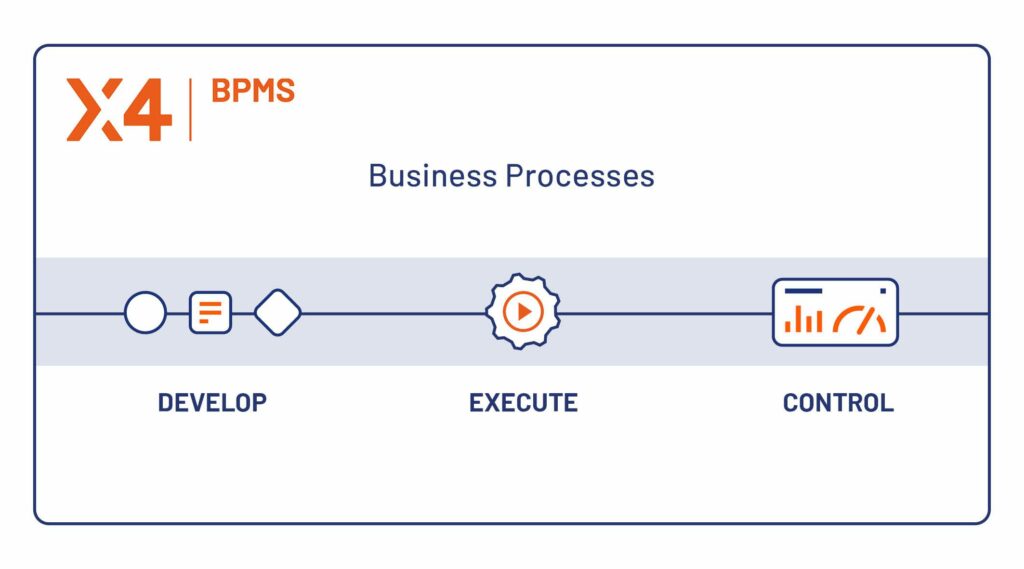
Modelled business processes run on the X4 ESB Server, where the Process Engine manages and executes them. The connections in the Enterprise Service Bus provide direct integration into the existing IT landscape. Business departments can develop their own digital processes, simulate them in the modelling environment first, and then move them into productive operation.
Because automation increases the exchange of data between systems and users by design, internal systems and sensitive data need particular protection. The X4 Proxy extension forwards only relevant, rule-based data to internal processes, logs the exchange, enriches connection data for tabular evaluation, and aborts processing when a predefined validation rule is breached.
The other solutions, and when you need them
X4 BPMS models, executes and integrates processes. Three further products sit alongside it, and each one answers a question that surfaces once automation moves past the first process. You do not need all of them to start. You will recognise the moment you need each.
Phoenix: governing execution at scale
Phoenix orchestrates end-to-end business processes across people, systems and data, and embeds governance, transparency and control into the execution itself. Monitoring, logs and audit trails are part of daily operation rather than additions to it, which makes dependencies visible and lets teams detect errors and assess impact early.
Phoenix also governs what integrations produce, not only how they run. Every connected system, transformation and data flow becomes a documented, traceable asset. The moment you need Phoenix is usually the moment the estate stops being one automated process and becomes forty of them, with dependencies nobody can draw on a whiteboard any more.
dataspot.: data governance from the business side
dataspot. helps organisations understand and govern their data from a business perspective rather than a tooling perspective. It creates a shared, end-to-end view of data, so that teams work from clear definitions, visible ownership and traceable lineage.
For an automated process this matters directly. When a process makes a decision based on a customer status or a contract value, someone has to be able to say what that field means, where it originated and who is accountable for it. dataspot. is where that answer lives.
MyDataCatalogue: knowing what data you actually have
MyDataCatalogue lets companies discover, understand and visualise their entire data ecosystem, structured and unstructured alike. Automated collection, an intuitive data catalog and ready-made glossaries give business and IT the same vocabulary for the same data.
In an automation programme the catalogue answers the question that stalls step five of the seven above: which system is the authoritative source for this attribute, and what else consumes it? Without that answer, integration work turns into archaeology.
How they combine
| Product | Answers the question | Reach for it when |
|---|---|---|
| X4 BPMS | How does this process run, and how do we connect it to our systems? | You are automating your first processes and need modelling, execution and integration |
| Phoenix | How do we keep many automated processes governed and auditable? | Automation has scaled past the point where oversight is informal |
| dataspot. | What does this data mean, and who owns it? | Processes or AI steps make decisions on data whose definition is disputed |
| MyDataCatalogue | What data do we have, and where does it come from? | Integration work keeps stalling on locating the authoritative source |
Data, AI and automation are one programme, not three
Organisations routinely run these as separate initiatives, with separate sponsors and separate budgets. They then discover, usually around month nine, that each one is blocked by the other two. The automation project waits for data definitions. The AI project waits for the automation that would give it something to act on. The data governance project waits for a use case concrete enough to justify itself.
The dependency runs in one direction and it is worth being blunt about it. Automation without governed data produces fast, confident, wrong outcomes. AI without automation produces insight nobody acts on. Governance without either produces documentation.
The SoftProject platform is organised around that dependency in four layers.
- Data Governance establishes what the data means, who owns it and where it came from. This includes master data management, metadata management and, for regulated sectors, data sovereignty.
- Seamless Integration moves that data between the systems that hold it, through the Enterprise Service Bus and more than 200 adapters.
- End-to-End Automation runs the processes that act on it, with business process management providing the governing framework.
- AI Enablement extends those processes into the steps rules cannot handle, on a foundation the first three layers made trustworthy.
What this means for your first automation project
It does not mean building all four layers before automating anything. That is the failure mode at the opposite extreme, and it produces two years of preparation and no working process.
It means choosing a first process whose data is already in reasonable shape, and treating what you learn about the data as a deliverable of the project rather than an obstacle to it. Every automation project surfaces disputed definitions, duplicate records and undocumented sources. Capture those findings in the catalogue and the governance layer as you go. After three processes you have both a working automation estate and a data foundation that was built from real use rather than from a workshop.
The measurement layer closes the loop. Process monitoring shows you where the automated processes actually stall, and the data governance layer tells you whether the cause is a broken rule or a field that two departments define differently. Those are very different problems and they need very different fixes, which is precisely why the two layers belong to the same programme.
Where to start
Business process automation holds substantial potential. Part of it is cost reduction, in administrative processes and core processes alike. The other part comes from the modelling work itself. Describing a process precisely creates the opportunity to redesign it more simply and against a defined objective, and that opens up improvements automation alone would never have produced.
If you want to test that on one of your own processes, our service package is built as a starting point: a workshop that identifies the first concrete opportunities, a proof of concept that tests feasibility and maps the risks, and an implementation project in which one sub-process is modelled in X4 BPMS, implemented, tested and deployed.

As Chief Technology Officer, Wolfgang Wiesner has been driving the technological advancement of SoftProject since May 2025. His focus is on future-proof architectures, technological excellence, and the successful implementation of innovative IT solutions.
FAQs
What is business process automation?
Business process automation, or BPA, is the use of software to run a repeatable, end-to-end business process with little or no manual intervention. The software reads data from the systems that hold it, applies the business rules, sends exceptions to people, and records every step it took.
What does BPA stand for in business?
BPA stands for business process automation. It differs from BPM, business process management, which is the wider discipline of designing, governing and improving processes. It also differs from RPA, robotic process automation, which automates individual interactions at the user interface layer.
Which business processes are best suited to automation?
Processes that run frequently, follow rules that can be written down, cross several systems, and cause meaningful cost when they go wrong. Administrative processes such as invoice processing and employee onboarding are the usual starting point because they are standardised and low in risk. Core processes deliver more value but require individual modelling.
How do you automate a business process?
Select and scope one process, map how it actually runs today, redesign it before automating, model the target process in BPMN 2.0, integrate the systems it depends on, test and pilot alongside the manual process, then monitor it in production and improve it.
What is the difference between business process automation and workflow automation?
Workflow automation covers one sequence of tasks, usually inside a single team or system. Business process automation covers an end-to-end process across several systems and departments. Workflow automation is business process automation at a smaller scale.
How long does a business process automation project take?
For a well-scoped first sub-process, a proof of concept normally runs in weeks and a first productive process in a few months. The deciding factor is almost never the modelling. It is the integration into the existing system landscape.
What does business process automation cost?
The licence price is rarely the largest item. Total cost is driven by integration into the existing system landscape, which means how many systems must be connected and whether standard adapters exist for them. A reliable calculation compares cost per case, annual volume, the expected reduction in manual touches, and implementation cost including integration.
Where does AI fit into business process automation?
AI extends automation into steps that rules cannot handle, most commonly interpreting unstructured documents and language. The pattern that works in practice is AI operating inside a modelled, auditable process rather than replacing it. The process defines what may happen and what is recorded, while the AI handles the interpretation or one bounded decision within it.